

Back
PrestaShop tips & tricks

PrestaShop tips & tricks
Multistore in PrestaShop: A Complete Overview of Benefits, Setup, and Limitations
I’ve already written more than once about multistore functionality in the PrestaShop platform, but many clients still have plenty of questions about using this feature. In this post, we’ll try to answer the main questions about this relatively new but useful functionality.
What is multistore?
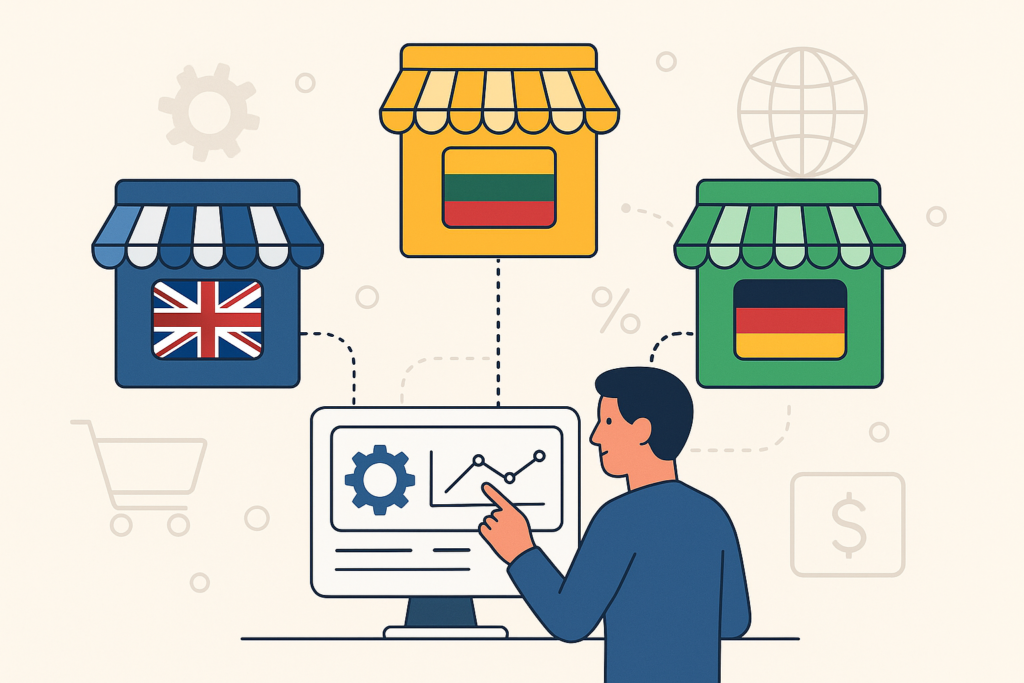
Multistore is the ability to manage several online stores with different addresses (domains) from a single PrestaShop admin interface. For example, you can have separate stores under various top-level domains: www.myshop.lt and www.myshop.com. Regular visitors won’t realize that the stores are managed from one platform. Multistore also has no significant impact on Google or other search engines.
What are the main benefits of multistore?
The biggest advantage is the ability to manage multiple stores from one system, by a single administrator. Previously, you’d need to install the system several times and manually copy and sync data.
Ability to share the same product list but present different information. Products can be the same in the PrestaShop system, but depending on the sub-store, you can:
- set different prices;
- create different descriptions;
- show some products in one store, others in another, while managing everything in one place;
- upload different images;
- set shared or different stock levels, distributed across different warehouses.
Additionally, you can:
- set different languages and currencies per store (e.g., prices in GBP for the UK store, and in EUR for the Lithuanian store);
- assign different carriers and shipping methods;
- offer different payment methods;
- choose different modules and layouts per store (e.g., featured products on one, new arrivals on another);
- change the overall functionality (e.g., allow purchasing in one store and only product browsing in another).
Orders work the same way whether multistore is enabled or not, but you gain the ability to have either shared or separate customers across all stores. If customers are shared, a user who registers on one store can log into others without registering again.
It is easy and quick to connect a new sub-store. If your multi-store structure is planned, adding a new store doesn’t cost much or take much time.
Use of different themes. Each sub-store can use a different or modified theme. Usually, the same theme is used with minor changes (e.g., logo), but it is possible to have completely different designs for each store.
PrestaShop modules and multistore functionality
PrestaShop is designed to support multistore features in most modules. Each module can have different settings per sub-store. For example, using Paysera, you can assign different Paysera projects to different stores – this makes local payment collection easier and more cost-effective.
You can also choose to show or hide specific modules for each sub-store.
Well-built modules usually take into account multistore technical and architectural differences.
What are the drawbacks of multistore?
There are no major drawbacks apart from slightly more complex management and the need for more technical support. You need to be extra careful when administering multiple stores – always double-check which store you are editing.
Preparing the system for multistore takes developers a bit longer. Everything must run on the same server and installation. Due to infrastructure differences, it may be complicated if you want one store hosted in the US and another in Lithuania.
Although technically it’s possible to share a cart across stores, it only works if the stores are on the same domain (e.g., manoparduotuve.lt/shoes and manoparduotuve.lt/clothes). Shared carts do not work well between different top-level domains in PrestaShop.
Why Choose Us?
We are e-commerce professionals and building PrestaShop online stores since 2008.
We Solve Your Business Problems
Fast, Scalable, High-Quality Code
Human-Centered UI & UX
24/7 Technical Support
No e-shop is useful without understanding the business behind it. We analyze internal processes, define customer profiles, conduct competitor research, and set measurable goals to ensure success in the omnichannel world.
Every part of an e-shop, from integrations to search and checkout, must work seamlessly. Our experienced developers ensure fast, scalable, and high-quality code for optimal performance.
High conversion rates are achieved through strategic information architecture and exceptional design. Our expertise in UI/UX ensures a seamless connection between your business and your customers.
E-commerce is a constantly evolving system that requires 24/7 technical support and quick response times. Our support agreement ensures a 1-hour reaction time to critical bugs.


Why Choose Us?
Thinking about a new project? Let's make it happen!
Start now
